
How to set up Google Analytics to track conversions
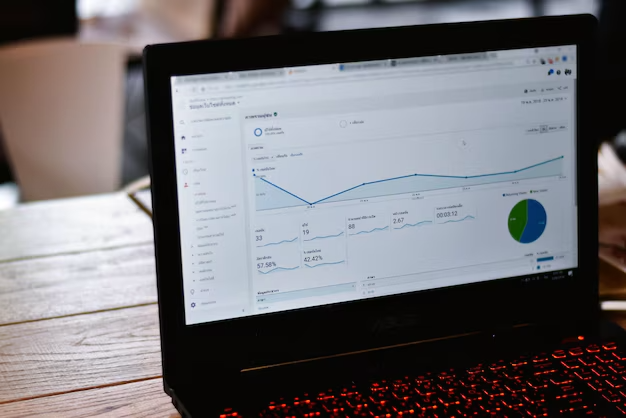
Google Analytics is a powerful tool for tracking and analyzing the behavior of your website visitors. However, to make the most of its capabilities, it is important to set up conversion tracking correctly. This will allow you to accurately evaluate the effectiveness of your marketing campaigns and optimize them for better results. In this article, we will go through the step-by-step setup of Google Analytics for conversion tracking and share useful tips for successful SEO promotion of your website. 🚀
🔍 The basics of setting up Google Analytics
Create an account and add a tracking code
Before you can start setting up conversion tracking, you need to create a Google Analytics account and add the tracking code to your website. Here are the basic steps
- Sign up for a Google Analytics account
- Create a new resource for your website
- Get a tracking code
- Add the code to all pages of your website
Proper placement of the tracking code is critical for accurate data collection. Contact your website development professionals if you have any difficulties with this step. 🖥️
Setting up goals and conversions
After adding the tracking code, the next step is to set up goals and conversions. This will allow you to track important user actions on your website. Here are some types of goals you can set up
- Destination goals (e.g., a visit to a specific page)
- Duration goals (time spent on the site)
- Goals by number of pages/screens per session
- Event goals (for example, button clicks or video playback)
Remember that effective website promotion on Google often depends on properly configured goals and conversions. 📊
📈 Advanced settings for conversion tracking
E-commerce settings
If you have an online store, setting up e-commerce tracking is critical. It will allow you to get detailed information about sales, average check, and other important metrics. Here are the basic steps
- Enable eCommerce tracking in your Google Analytics settings
- Add the transaction tracking code to the order confirmation page
- Customize reports on products and categories
Effective e-commerce setup can significantly improve your ability to optimize and promote your site. 🛒
Track omnichannel funnels
Understanding a customer’s path to conversion across different channels is key to optimizing your marketing efforts. Google Analytics offers tools for tracking omnichannel funnels
- Set up conversion attribution
- Explore reports on omnichannel funnels
- Use attribution models to evaluate the contribution of different channels
This will help you understand which channels are most effective in driving conversions and optimize your marketing budgets. 🔄
🛠️ Conversion data optimization and analysis
Create custom reports
For a deeper analysis of your conversion data, create custom reports in Google Analytics. This will allow you to focus on the most important metrics for your business. Here are some ideas for custom reports
- Report on the effectiveness of different traffic sources
- Conversion analysis by geographic location
- Comparison of conversions for different audience segments
Using custom reports can significantly improve your understanding of the effectiveness of Google ADS and other marketing channels. 📊
Integration with other Google tools
For maximum efficiency, integrate Google Analytics with other Google tools
| Tools | Benefits of integration |
|---|---|
| Google Ads | Tracking the effectiveness of advertising campaigns |
| Google Search Console | Analysis of organic traffic and keywords |
| Google Tag Manager | Simplified tag and event management |
Integrating these tools will allow you to get a complete picture of your online presence and optimize your marketing efforts. 🔗
🎯 Conclusion
Properly configuring Google Analytics for conversion tracking is a key element of a successful online strategy. It allows you not only to track the effectiveness of your marketing efforts, but also to make informed decisions to optimize your website and advertising campaigns. Remember that setting up Google ads and analytics is an ongoing process that requires regular monitoring and adjustments. Don’t be afraid to experiment with different settings and reports to find the ones that best suit your business needs. 🎄 With the holiday season approaching, don’t miss the opportunity to improve your marketing strategies! Visit our WonderWeb website to find out about special offers for smm promotion services and META ADS targeted advertising. Let your business shine brighter than a Christmas tree!!!!

