
Tilda vs WordPress vs custom development: where will you lose money in 2026?
Article was drafted with the assistance of AI
Tilda is cheapest for simple tests, WordPress is flexible but costly to maintain, and custom development is usually best for long-term growth when the site drives sales, SEO, and brand trust.
The expensive mistake in 2026 is not choosing the “wrong trendy platform.” It is choosing a site setup that looks cheap at launch but starts leaking money through weak conversion, hard-to-scale structure, plugin chaos, security risk, or a painful rebuild a year later.
This comparison is about total cost, not sticker price. If you are deciding between Tilda, WordPress, and custom website development, the real question is which option matches your traffic source, sales process, growth plan, and operational risk over the next two to three years.
Who is this decision really for?
This choice matters most for businesses that cannot afford to waste budget on redesigns, migration, or underperforming marketing. If your site must do more than “just exist,” platform choice directly affects profit.
We usually see five recurring situations behind this question:
- Startup or new niche test: you need a fast launch, clear offer validation, and limited upfront spend.
- Local small business: you need trust, lead generation, a clear service structure, and a site that is easy to update.
- E-commerce: you need product structure, payment and delivery logic, filters, growth capacity, and dependable performance.
- B2B company: you need a strong brand presentation, a convincing structure, lead forms, and room for future expansion.
- Expert or service business: you need a focused landing flow, strong messaging, and solid conversion from paid traffic.
The risk profile is different in each case. A simple promo page and a sales-driven corporate website should not be judged by the same criteria.
What are Tilda, WordPress, and custom development in plain English?
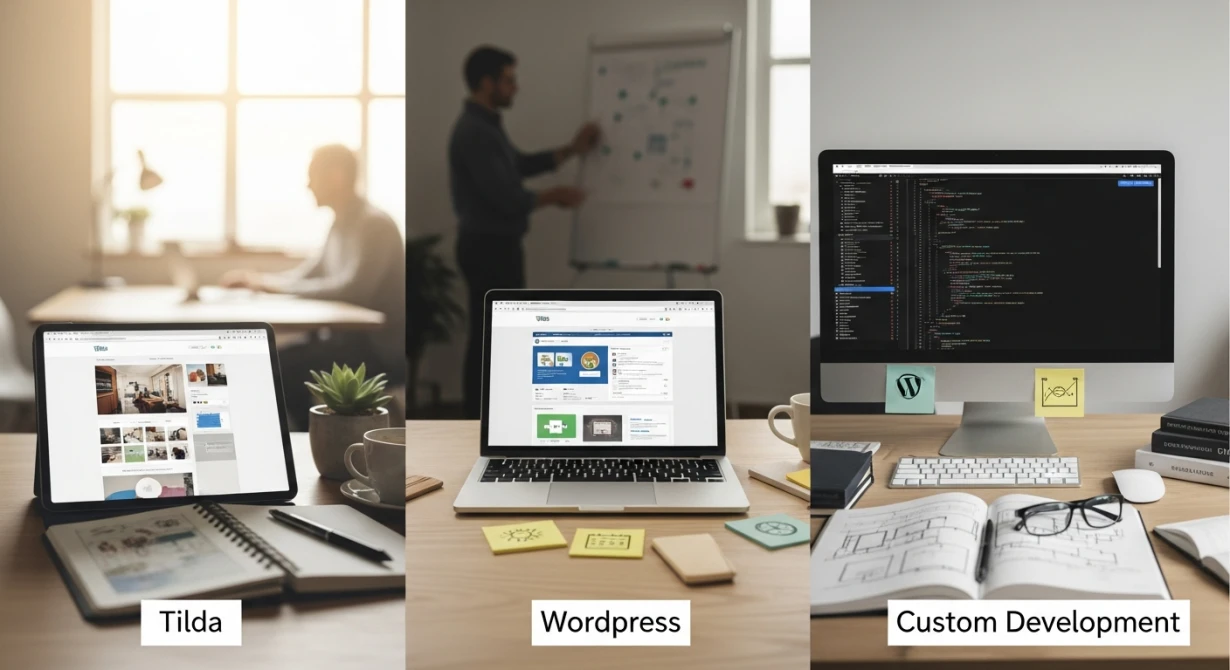
Tilda is a website builder for fast assembly from ready-made blocks. WordPress is a content management system with a low entry cost but broad dependence on themes, plugins, and ongoing maintenance. Custom development is a site planned and built around your business goals instead of a generic template.
Tilda is often chosen for speed. It helps when the task is narrow, the structure is simple, and the business is testing an idea rather than building a long-term growth system.
WordPress sits in the middle. It can support many types of projects, including blogs, company sites, and some stores, but the final result depends heavily on who builds it, how many add-ons it uses, and how well it is maintained.
Custom work starts with strategy, structure, design, and business logic. At our side, that usually means not only the “box” of the site, but also the path from audience and offer to design, SEO, integrations, and support.
Which option wins in practice?
Tilda wins when you need a fast MVP or a simple landing page with minimal complexity. WordPress wins when you need manageable content flexibility and your scope is moderate. Custom development wins when the site is part of your sales engine, brand system, or scaling plan.
The short version is simple. Cheap launch cost is not the same as low cost of ownership, and higher initial investment is not automatically wasteful.
| Criterion | Tilda | WordPress | Custom development |
|---|---|---|---|
| Launch speed | Fast | Moderate | Usually slower |
| Upfront budget | Low | Low to medium | Higher |
| Design uniqueness | Limited by builder logic | Depends on theme and build quality | High when designed for the brand |
| SEO flexibility | Enough for simple cases, restrictive for advanced needs | Good, but quality depends on setup | High when planned correctly |
| Complex integrations | Can become restrictive | Possible, often plugin-dependent | Best for tailored logic |
| Security management | Simpler on the surface | Ongoing risk with plugins and themes | More controllable when built and maintained properly |
| Scaling without rebuild | Weak to moderate | Moderate | Strong if architecture is healthy |
| Typical money leak | Platform ceiling and migration | Maintenance accumulation | Bad scoping and cheap execution |
If you already know you need a branded business site, a lead-driven landing page, or an online store with room to grow, the practical next step is not guessing. It is comparing project scope against a realistic build plan through turnkey website development rather than only comparing starting prices.
How should you compare costs over three years instead of day one?
The right comparison is three-year total cost of ownership. That includes launch, revisions, support, speed fixes, SEO limits, ad inefficiency, security work, and possible migration.
A platform can look affordable and still become expensive once you count what it prevents or complicates. That is why we advise clients to model the full path from launch to growth before committing.
Website builders and content management systems can range from free to $10 per month, while paying someone to code your website can cost between $800 and $15,000.
Creating Your own Website: Where to Start and What Your Options Are
That spread is exactly why startup budget alone is a weak decision factor. The lower end reduces entry cost, but it says nothing about future redesigns, plugin stack complexity, marketing losses, or the cost of rebuilding later.
- Launch cost: builder subscriptions are lower, WordPress can start cheaply, and custom work needs more budget at the beginning.
- Maintenance cost: WordPress tends to accumulate recurring work through updates, compatibility checks, security hardening, and performance tuning.
- Marketing cost: slow pages, template-style structure, and weak landing logic can raise the cost of paid traffic and hurt lead quality.
- Growth cost: when integrations, SEO structure, or content architecture hit a limit, the business pays for workarounds or migration.
- Risk cost: downtime, hacked plugins, or broken forms can cost more than the savings from a cheaper launch.
Where do businesses lose money with Tilda in 2026?
Tilda usually loses money not at launch, but when a business outgrows the builder. The common losses come from subscription dependence, limited flexibility, workarounds for SEO or integrations, and eventual migration.
Tilda is a reasonable choice for a narrow task. A simple offer page, temporary campaign site, or first MVP can justify the trade-off because speed matters more than long-term flexibility.
When Tilda is financially sensible
Tilda makes sense when your business needs one focused page, a fast go-live, and minimal custom logic. That is often true for a niche test or a short sales campaign where the main goal is validating demand.
If that is your situation, a carefully planned landing page build can be the safer route than overbuilding. The key is being honest that this is a test asset, not the final architecture for the next three years.
Where the hidden losses start
- Subscription lock-in: the ongoing fee looks small until the site becomes business-critical and you cannot move quickly without a rebuild.
- Template ceiling: similar visual patterns can reduce trust and make it harder to present a premium or differentiated offer.
- SEO constraints: a builder can be enough for basic search visibility, but advanced structure, large content systems, and technical flexibility become harder.
- Integration friction: once you need more than simple forms and basic connections, custom logic often turns into awkward workarounds.
- Migration cost: many companies “save” at launch and then pay again when the builder stops fitting sales, content, or growth needs.
The biggest Tilda mistake is using it for a business that already knows it will run SEO, paid traffic, multiple service lines, or serious integrations. In that case, the cheap start can become the first payment toward an inevitable rebuild.
Where do businesses lose money with WordPress?
WordPress usually loses money through accumulation. The software core may be free, but plugins, updates, security work, performance fixes, and technical oversight add up over time.
This does not make WordPress bad. It makes WordPress highly dependent on implementation discipline.
Why the “free platform” argument is incomplete
Businesses often hear that WordPress is free and assume the site will therefore be cheap. In reality, the final cost includes design, development, domain, hosting, paid plugins in many cases, testing, optimization, and ongoing support.
That is why “free core” and “free website” are two different things. When someone asks why they should pay for WordPress development services, the answer is simple: the business is not buying a CMS file, it is buying a working revenue asset.
The main financial weak points
- Plugin sprawl: every extra plugin can add compatibility risk, weight, and maintenance effort.
- Update burden: plugin, theme, and core updates require checks because one change can break forms, layouts, or integrations.
- Security exposure: WordPress is a common attack target, especially when outdated plugins or themes remain in use.
- Performance drift: heavily layered builds often slow down over time, which can reduce conversion and make ad traffic less efficient.
- Scaling friction: what works for a smaller site can become unstable or cumbersome as pages, features, and traffic grow.
For a business website, the cost of WordPress is rarely one big invoice. It is a long trail of “small” tasks that together become expensive and distracting.
If your current WordPress setup already feels patched together, the right move is not blind redesign. It is a structured website audit to check speed, errors, design bottlenecks, page logic, and whether the site still supports your traffic and sales model.
 Illustration generated with AI
Where do you lose money with custom development if you do it wrong?
Custom development loses money when a business pays for uniqueness without strategy. The costly errors are vague scope, weak design, ignoring SEO and user flow, or hiring the cheapest executor for a complex task.
The myth that custom work is always too expensive comes from bad projects, not from the approach itself. A poorly planned bespoke site can absolutely waste budget, especially if it starts with visuals and skips business logic.
The most expensive mistakes
- No strategy before design: if audience, offer, and page goals are unclear, the result may look polished and still sell poorly.
- Saving on structure and UX: a beautiful interface cannot fix confusing navigation or weak conversion paths.
- Ignoring SEO at the planning stage: rebuilding structure later is slower and more expensive than planning for visibility from the start.
- Choosing cheap isolated execution: when design, development, and optimization are fragmented, the client often pays for coordination and rework.
- Building too much too early: custom does not mean “everything at once.” It should mean priority-based implementation.
This is where a full-cycle process matters. When strategy, prototype, design, development, and support are planned together, a higher starting budget can produce a more controlled long-term cost than repeated patching on a weak foundation.
For example, if you need a scalable business presentation site rather than a quick promo page, a dedicated corporate website development approach usually makes more sense than adapting a generic template to complex goals. The same logic applies to stores, where structure, payments, filters, and growth planning should be designed from the beginning through online store creation.
Which option fits your business scenario in 2026?
The right choice depends less on company size and more on business model, traffic source, and future complexity. The same small budget can justify either a builder or a phased custom project depending on what the site must achieve.
Startup testing a niche
Choose Tilda or a very lean landing approach if the goal is speed, message testing, and basic lead capture. Do not lock into that path if you already know the product will need SEO depth, CRM logic, multiple funnels, or frequent expansion.
Local service business
Choose WordPress or a focused custom build depending on how competitive the niche is and how much local search and trust-building matter. If the site needs only standard pages and manageable updates, WordPress can be enough. If brand perception and lead quality are central, a custom approach often pays back through stronger structure and clearer differentiation.
E-commerce project
A simple store can start on a CMS-based solution, but heavy growth, broader catalogs, custom filters, and integration complexity push the decision toward a more tailored build. The moment your store logic stops being standard, cheap shortcuts usually become expensive.
B2B company or expert services
When the sale depends on trust, positioning, and a non-trivial decision journey, template similarity costs money. This is where unique design, strong information architecture, and content planning have real financial impact.
Brand perception also matters here. If the website must represent the business professionally, unique website and brand identity design is not decoration. It is part of how the company is remembered, understood, and shortlisted.
What signs show you have already outgrown Tilda or WordPress?
You have outgrown the current platform when growth requires workarounds instead of straightforward development. The warning signs are usually operational before they are technical.
- Your team avoids making changes because each edit risks breaking layout, speed, or existing functions.
- Marketing keeps asking for pages or integrations that are hard to implement cleanly.
- The site looks acceptable but converts weakly and the problem is clearly structural, not just copy.
- SEO work is constrained by page logic, content architecture, or technical limitations.
- Support becomes reactive and you keep fixing symptoms instead of improving the system.
- You are planning a redesign anyway and suspect the current setup cannot evolve without a rebuild.
Having a site on Tilda or WordPress does not mean you made a bad decision. Often it was a normal first step. The mistake is staying too long after the platform becomes a ceiling.
What should you check before spending money on a new site in 2026?
The smartest pre-launch step is to evaluate platform choice against business goals, not personal preference or the lowest quote. A short checklist can prevent years of avoidable cost.
- Traffic source: will the site depend on SEO, paid ads, referrals, or direct brand demand?
- Sales complexity: is this one simple offer, or a layered service or product structure?
- Integration needs: what must connect to forms, CRM, payments, delivery, or internal workflows?
- Content growth: will the site stay small, or expand into sections, landing pages, and ongoing updates?
- Brand demands: does your business need a distinctive presentation to justify pricing and trust?
- Risk tolerance: how costly would downtime, security issues, or broken forms be for you?
- Rebuild probability: are you choosing a temporary launch tool or a base you plan to evolve?
If those answers are still fuzzy, do not force the platform decision alone. A scoped consultation before launch is cheaper than migrating under pressure later, and that is exactly where WonderWeb is most useful: we compare the real cost of launch, support, design, SEO, and future changes before the build starts.
The practical takeaway is simple. Tilda is valid for narrow, fast tests. WordPress is valid when the project is moderate and maintained properly. Custom development is the better financial choice when the site is part of long-term sales, branding, SEO, and scaling.
The platform itself is rarely the whole problem. Losses usually come from mismatch: cheap architecture for a complex business, plugin-heavy assembly for a growing project, or custom work launched without strategy.
If you want to calculate the real two- to three-year cost before launching or redesigning, request a consultation or site audit and map the decision against your business model instead of guessing.
Is Tilda a bad choice in 2026?
No. It is a reasonable choice for a simple MVP, promo page, or narrow landing flow, but it becomes costly when the business needs strong SEO, complex integrations, or long-term scaling.
If WordPress is free, why does the final site still cost money?
Because the free core does not include design, setup, optimization, testing, paid add-ons in many cases, security work, or ongoing maintenance.
When does custom development become cheaper in the long run?
It often becomes more economical when the site is central to lead generation, branding, SEO, or complex functionality and would otherwise require constant patching or migration.
Does having a current Tilda or WordPress site mean I chose wrong?
No. Many businesses start there for valid reasons. The real issue is whether the current platform still supports growth without constant workarounds.
What is the biggest hidden cost in WordPress?
Usually it is not one item but the accumulation of plugin updates, compatibility checks, security fixes, and performance cleanup over time.
What is the biggest hidden cost in Tilda?
For many businesses it is the delayed price of hitting the platform ceiling and then paying for migration after marketing and content needs become more complex.
Should a small business always choose the cheapest launch option?
No. If paid traffic, local competition, trust, or integration needs are important from day one, the cheapest start can create larger losses later.

