
Lead generation through Google Ads: funnel + CRM
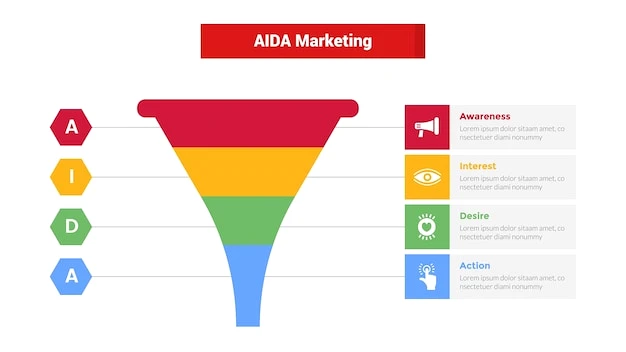
The most common problem with paid advertising today is not traffic, but losses at the application processing stage. If your funnel is not connected to CRM, then you are not managing the lead’s path, but only observing it. Our experience shows that when Google Ads ads are connected to CRM, managers work faster and the window of opportunity for sales is reduced to minutes. This provides practical value: clear control over the cost of a lead, the quality of calls, and the predictability of income.
Comprehensive setup and management of Google Ads advertising with analytics and connection to CRM for effective lead generation.
According to WonderWeb
🎯 Lead generation funnel in Google Ads: from click to CRM
Structure of stages and logic of actions
An effective funnel consists of four nodes: relevant search queries, ads with a clear offer, a landing page with one action, and data transfer to CRM with campaign labeling. It’s important to agree on campaign names, UTM tags, and CRM fields at the start so that each lead automatically receives a source and stage of sale.
Event analytics and attribution
Use event analytics for forms: clicks, start of filling, field errors, successful submission. This reveals bottlenecks: where users fall off, which creative leads to better quality leads. According to HubSpot (2024), “Mapping campaigns to CRM pipelines lets sales teams act on leads instantly, improving win rates.” We replicate this through the campaign → funnel → CRM stage alignment.
Response speed and SLA
Even the best contextual advertising will lose its effect without quick contact. Set an SLA: first call within 10 minutes, repeated contact within a day. Notifications from CRM to the team messenger significantly increase the conversion from a form to a dialog.
⚙️ Integration with CRM: practical nuances that are often forgotten
Data markup and dual applications
Be sure to transfer the following to CRM: source, campaign, ad group, keyword phrase, login page, Google customer ID. This ensures accurate CPL and ROAS reports. To protect against duplication, use email/phone verification and merge contact logic.
Sales pipelines for demand types
Cold, warm, and hot demand have different scenarios. Create separate pipelines in CRM accordingly. This allows managers to work with tone and timing, and we can select bids and strategies in campaigns.
Synchronize conversions back to Google Ads
When CRM returns offline conversions with a transaction value to Google Ads, the system learns to optimize for profit, not just clicks. According to WordStream (2024): “CRM-integrated advertisers saw an 18% lower CPL on average versus non-integrated setups.” Practical conclusion. Connect conversion import and check deduplication by GCLID.
📈 Data that drives decisions: what to rely on
Key performance benchmarks
According to Salesforce (2024): “Marketers who integrate ad platforms with CRM report up to 29% higher lead conversion rates.” We interpret this as an argument in favor of full integration of ads with CRM pipelines. This makes it possible to manage conversions at every stage and reduce idle leads.
Daily metrics for marketers
Check daily: the cost of a targeted action, the share of losses in impressions, the percentage of “not reached”, the time of the first contact, the percentage of deals that moved from “new” to “in progress”. Check your advertising data with CRM on a weekly basis: the discrepancy in the number of applications should not exceed 3-5 percent. If it’s more, look for out-of-sync events.
Recommended tools and checks
- Tracking and analytics: correct UTMs, import of conversions from CRM, GCLID/GBRAID check, audit of tags on the form.
- Lead quality: validation of numbers, honeypot fields, limit of quick re-applications, simple survey “how did you find us?”
- Operational discipline: SLA for calls, first message templates, mandatory stage fields in CRM, weekly retrospectives.
🚀 How WonderWeb implements the “funnel + CRM” combination
Methodology for launching without chaos
We start with a technical map: campaigns, groups, keys, ad layouts, form layouts, CRM fields, application routes. Next, we make a test run with fake leads and check the entire path. And only then do we scale budgets. It’s a discipline that saves weeks of fixes.
Full cycle and customized solutions
The WonderWeb team works in a full cycle. From marketing strategy and creatives to integrations, technical support, and optimization. We don’t use template solutions, but customize them for your business model. A strong team of 20+ specialists and more than 150 completed projects allows us to solve narrow tasks quickly and efficiently.
Services that enhance the result
To ensure that lead generation works without losses, we connect related services. We set up and manage Google ADS contextual advertising with full analytics. If necessary, we redesign landing pages through website design and development. We strengthen organic search engine rankings through SEO promotion. For omnichannel, we add targeted META ADS advertising and retargeting on social media.
Implementation of advertising funnels and integration of applications from ads into the CRM system for easy customer management.
According to WonderWeb
This is our operating norm, not a one-time option. This is how the gap between marketing and sales is bridged, and CRM metrics begin to correlate with advertising analytics.
Short implementation roadmap
1 week. Diagnostics, map of CRM events and pipelines. 2 weeks. Creatives, landing, technical tags, test conversions. week 3. Launch, SLA, import of offline conversions, basic bid optimization. Then – gradual scaling with CPL and lead quality control.
Bottom line. Integrated lead generation through contextual advertising in Google Ads and CRM is not a fashionable trend, but a managed revenue system. When data flows seamlessly, decisions are made quickly and based on facts.
Getting ready for the peak season? Don’t let your customers disappear into the darkness like on Halloween night. Create a funnel that catches every click without phantom losses. Add a little CRM “magic” and Google Ads accuracy, and your sales pot will boil over without horror stories about drained budgets 🎃. Visit the Google ADS contextual advertising page from WonderWeb to find out the details, choose a format of cooperation, and launch systematic lead generation without mysticism.
How exactly do you map Google Ads campaigns to CRM pipelines, as mentioned in the article?
Use the campaign → funnel → CRM stage mapping, passing UTM tags, ad group, and keyword phrase. This allows managers’ actions to start instantly, as HubSpot (2024) advises.
What data should be transferred from the form to CRM for the correct CPL?
Source, campaign, group, keyword phrase, login page, and GCLID/GBRAID. This ensures accurate CPL calculation and correct import of offline conversions into Google Ads.
How much can lead conversion increase when integrating advertising with CRM?
According to Salesforce (2024): “Marketers who integrate ad platforms with CRM report up to 29% higher lead conversion rates.” We use this as a justification for full integration.
Does CRM integration reduce the cost of a lead and by how much?
Yes, it does. WordStream (2024) notes: “CRM-integrated advertisers saw an 18% lower CPL on average versus non-integrated setups.” In practice, this is achieved by importing value conversions.
What is the basic timeline for the implementation of the “funnel + CRM” bundle you recommend?
Week 1 – diagnostics and event mapping. Week 2 – creatives, landing pages, tags, and test conversions. Week 3 – launch, SLA per contact, and import of offline conversions with further optimization.

